Using the app
Player controls
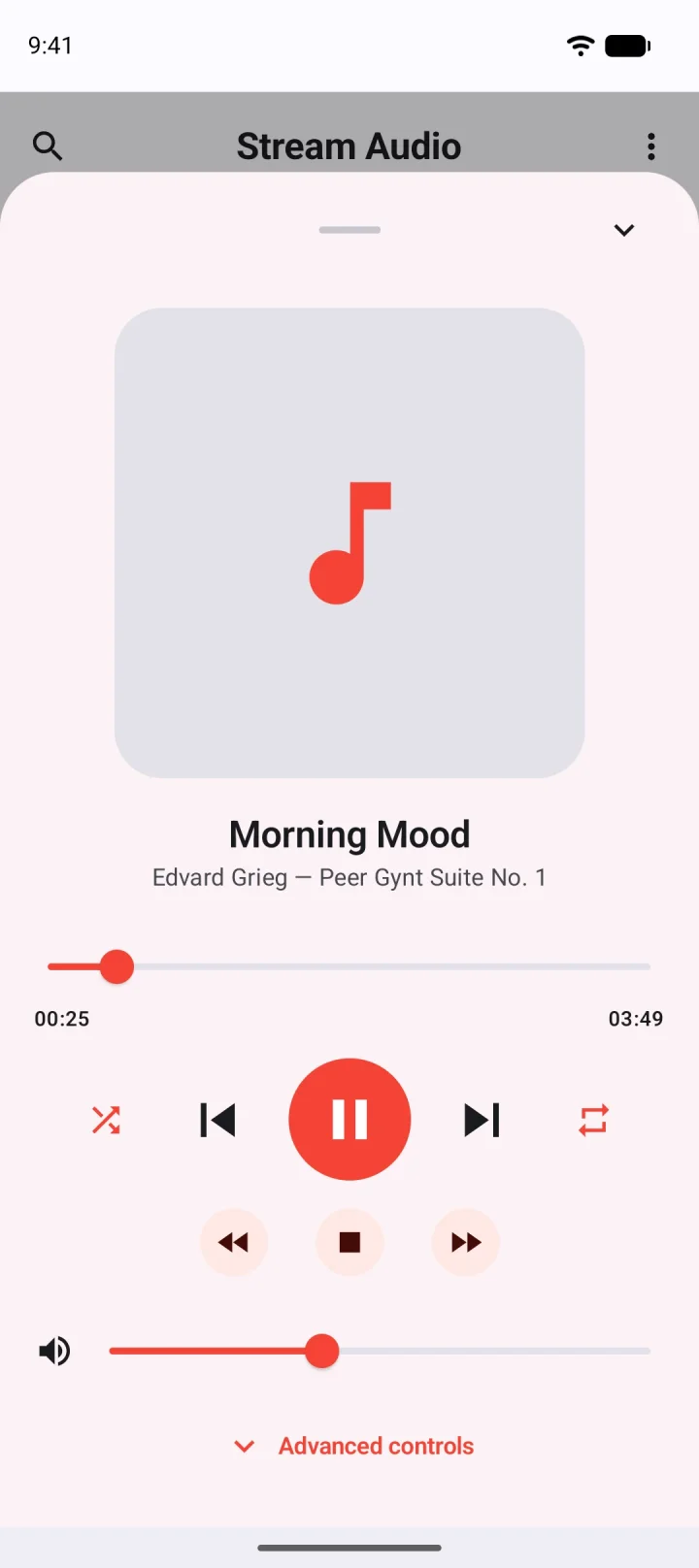
Tap the mini player above the tabs to open the full player.
Playing
- Drag the seek bar to jump anywhere in the video or song.
- Previous, Play/Pause, and Next, with Shuffle and Repeat (off, one, or all).
- Rewind, Stop, and Fast forward. Fast forward jumps by 10 seconds; you can change that in Settings.
- The volume slider sets VLC's volume. Your phone's volume buttons work too.
Advanced controls
Tap Advanced controls for more.
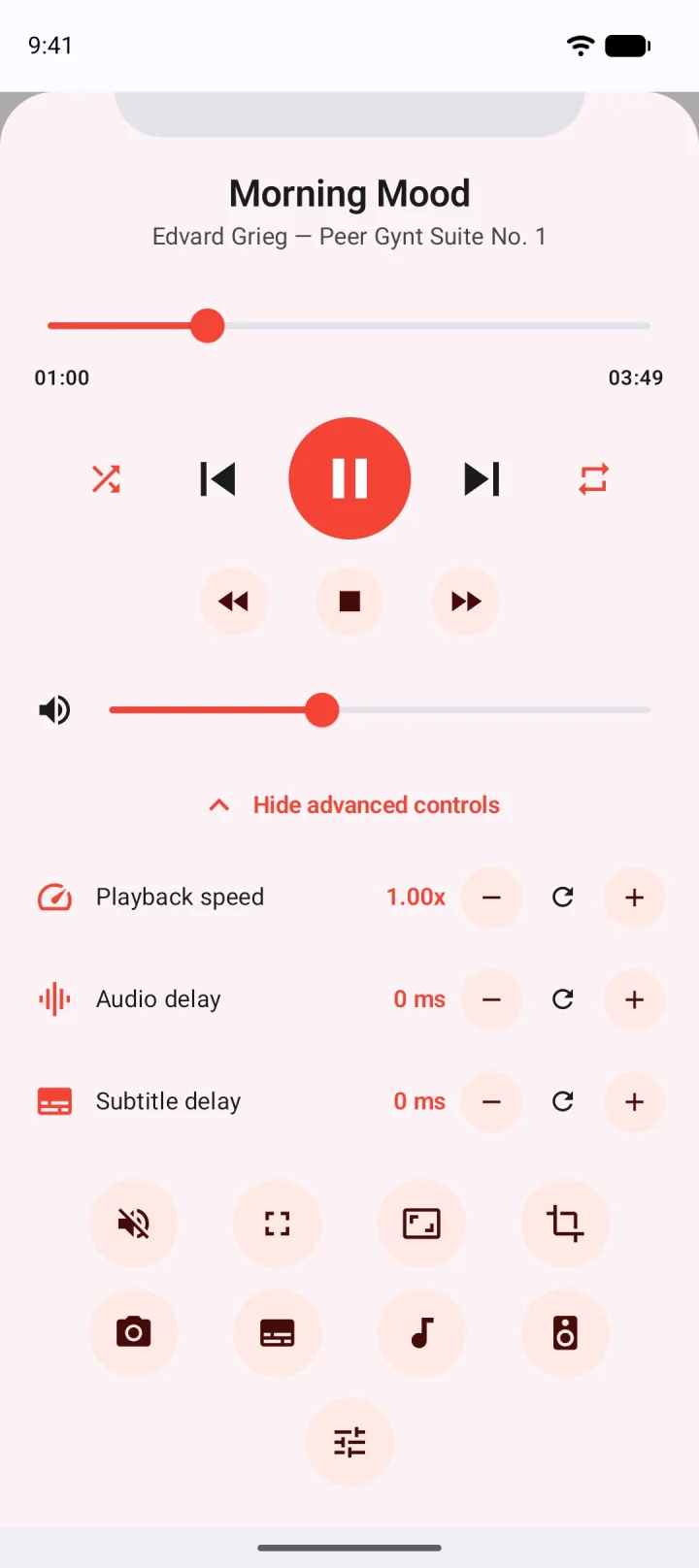
- Playback speed, Audio delay, and Subtitle delay, each with −, reset, and +. Use the delays when sound or subtitles are out of sync.
- Mute, Fullscreen, Aspect ratio, Crop, and Snapshot (saves a picture of the video on your computer).
- Subtitle track, Audio track, and Audio device: tap to switch to the next one.
- Equalizer: tap to turn it on or off.
Long-press any button to see its name.
With Pro
Pro adds more to the same controls:
- Long-press Playback speed, a delay, Aspect ratio, Subtitle track, or Audio track to pick an exact value from a list.
- Long-press Equalizer to open it, with presets, a preamp, and 10 bands.